How ERP Improves Supply Chain Management?

A delayed purchase can disrupt an entire production schedule. An inaccurate stock record can also delay customer deliveries. These problems often arise when supply chain teams work with disconnected information.
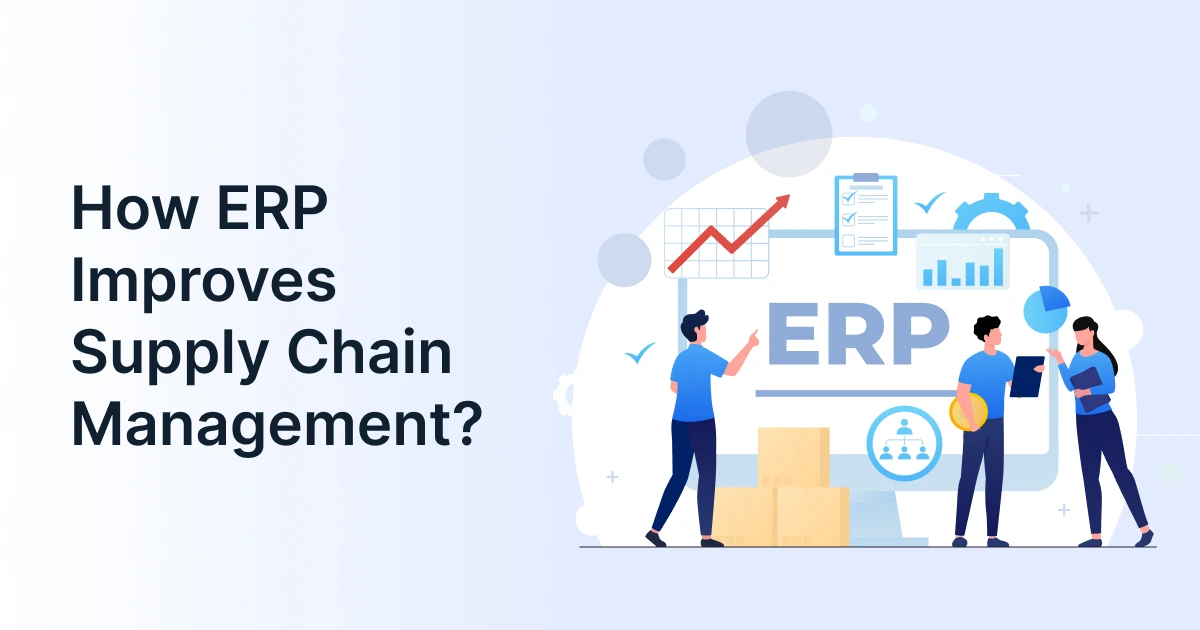
ERP supply chain management helps address these gaps. It connects purchasing, inventory, production, and logistics within an integrated business environment. Teams can access relevant information and coordinate their decisions more effectively.
This article explores how ERP improves supply chain operations. It also explains practical applications, important capabilities, and adoption considerations.
What Is ERP Supply Chain Management?
ERP supply chain management uses enterprise resource planning systems to coordinate activities across the supply chain. It connects operational information with related business functions, such as finance and sales.
An ERP system can support purchasing, inventory tracking, production planning, order processing, and logistics. These capabilities help teams understand how decisions in one department affect another.
For example, a sales order may increase demand for particular materials. That information can inform inventory planning and purchasing requirements. Warehouse and logistics teams can then prepare for fulfillment.
Unlike standalone supply chain software, ERP software typically connects supply chain processes with wider business operations. Its exact capabilities depend on the platform, modules, and integrations involved.

How ERP Fits into the Supply Chain?
A typical workflow may follow this sequence:
Demand planning >> Procurement >> Inventory >> Production >> Order fulfillment >> Logistics >> Customer delivery
ERP supply chain management connects information across these stages. This helps teams coordinate work instead of relying on separate departmental records.
How Does ERP Improve Supply Chain Management Across Key Operations?
ERP improves supply chain management by connecting operational data with everyday decisions. Its impact becomes clearer when examining individual processes.
Connect Demand Forecasting with Inventory Planning
Demand changes can quickly affect purchasing and production requirements. ERP software helps businesses compare expected demand with available inventory.
Teams can use sales history, open orders, and stock records. These inputs support more informed inventory planning and replenishment decisions.
For example, rising demand may require additional raw materials. An ERP platform can help planners identify that requirement earlier. Purchasing teams can then review supply availability and lead times.
This connection helps businesses respond to demand changes. It also supports decisions about excess stock and potential shortages.
Coordinate Purchasing Through Procurement Software
Purchasing decisions depend on demand, stock levels, supplier commitments, and budgets. ERP supply chain management connects these considerations with procurement workflows.
Procurement software within an ERP environment can support purchase requisitions, approvals, and purchase orders. Buyers can review material requirements before placing orders.
This reduces reliance on disconnected spreadsheets and manual updates. It also helps purchasing teams coordinate with inventory and finance.
For instance, a production requirement may trigger a purchase request. The buyer can check existing stock before ordering more. This helps avoid unnecessary purchases and supports better purchasing control.
Improve Inventory Control Across Warehouses
Inventory records become harder to manage across multiple locations. ERP tools can help businesses track stock quantities, movements, and availability.
This visibility supports inventory planning across warehouses. Teams can identify where products are available and where shortages may occur.
Consider a distributor with two warehouses. One location may hold excess stock while another faces strong demand. Updated inventory information can help teams assess a stock transfer.
ERP supply chain management can also support replenishment decisions. However, advanced warehouse execution may require dedicated warehouse management capabilities.
Coordinate Logistics Management and Order Fulfillment
Order fulfillment depends on accurate stock and delivery information. ERP systems can connect customer orders with warehouse and logistics activities.
Logistics management workflows may include dispatch coordination, shipment status, and delivery schedules. These records help teams monitor orders as they move toward customers.
When a shipment is delayed, updated information can support revised delivery plans. Customer-facing teams can also communicate changes more accurately.
ERP software may provide basic logistics functions. Complex transportation planning or carrier operations may require specialist systems and integrations.
Improve Coordination Between Supply Chain Teams
Supply chain decisions rarely belong to one department. Purchasing, production, warehouse, sales, and finance teams depend on one another.
ERP supply chain management gives these teams access to connected business information. This can reduce discrepancies between departmental records.
Sales teams can check order status. Buyers can review material requirements. Warehouse teams can confirm stock availability. Finance can access relevant purchasing and sales transactions.
This shared context helps teams respond when plans change. It also makes the impact of operational decisions easier to understand.
What Does ERP Supply Chain Management Look Like in Practice?
Consider a manufacturer receiving a large customer order. The order requires materials that are running low.
With ERP supply chain management, teams can connect the order with inventory and purchasing records. This helps them assess the next steps.
| Stage | ERP-supported activity | Operational value |
| Demand | Record the customer order | Updates demand information |
| Inventory | Check available materials | Identifies shortages |
| Procurement | Create and approve purchase orders | Supports timely purchasing |
| Production | Review material availability | Helps coordinate production |
| Warehouse | Allocate finished goods | Prepares orders for dispatch |
| Logistics | Records shipment and delivery details | Improves order visibility |
| Finance | Record relevant transactions | Supports cost monitoring |
This example shows how ERP supply chain management links separate activities. It does not remove every delay or supplier risk. Instead, it gives teams connected information for responding to issues.
A suitable ERP platform can also integrate with dedicated supply chain software. This becomes useful when businesses need advanced planning or specialized logistics functions.
What Do the Results Look Like?
The benefits depend on implementation quality, business processes, and system capabilities. However, research illustrates the potential value of connected ERP and supply chain systems.
A 2024 Nucleus Research study reported improvements among organizations combining ERP and supply chain management systems. It found 18% better on-time, in-full performance and 19% higher demand forecasting accuracy. The study also reported a 16% reduction in the cost of goods sold. These findings describe the organizations examined, not guaranteed results for every business.
Which ERP Capabilities Matter Most for Supply Chain Management?
The right capabilities depend on your products, locations, and operating model. Start by identifying the decisions your teams need to make.
| Business requirement | Capabilities to evaluate |
| Changing customer demand | Forecasting and inventory planning |
| Purchasing control | Requisitions, approvals, and purchase orders |
| Multiple warehouses | Stock visibility and transfer management |
| Order fulfillment | Order allocation and status tracking |
| Shipment coordination | Logistics integrations and delivery updates |
| Operational oversight | Reporting, dashboards, and financial visibility |
An ERP system may provide these capabilities through built-in modules. Some functions may require integrations with specialist supply chain software.
When evaluating ERP tools, check how they exchange information with existing applications. A connected ERP platform should support the workflows your teams use.
For example, inventory planning may require warehouse-level stock data. Logistics management may depend on carrier updates. Procurement software may need supplier and approval records.
These dependencies matter more than a long feature checklist. They show whether ERP solutions can support the complete workflow.

What Should Businesses Check Before Adopting ERP?
ERP supply chain management works best when the system reflects real operational needs. Businesses should review several areas before choosing an ERP system.
- Existing process gaps: Identify where teams rely on duplicate records or manual updates. Focus on problems affecting purchasing, inventory, and delivery.
- Data quality: Review product details, supplier records, and stock quantities. Incorrect data can undermine inventory planning and purchasing decisions.
- Integration requirements: Identify warehouse, transportation, sales, and supplier applications. Confirm how the ERP software will exchange information with them.
- Operational fit: Check support for business locations, approval workflows, reporting, and growth plans. A suitable ERP platform should match current needs without ignoring future requirements.
- Employee adoption: Consider training, workflow changes, and user responsibilities. Teams need to understand how accurate updates support other departments.
ERP supply chain management does not automatically eliminate disruptions. Supplier delays, inaccurate forecasts, and transport problems can still occur. The system helps teams access information and coordinate their responses.
Dedicated supply chain software may remain necessary for advanced planning or execution. Businesses should assess these needs before finalizing their ERP solutions.
How GrexPro Supports Connected Supply Chain Operations
The right ERP approach depends on the supply chain problems a business needs to solve. GrexPro brings several business operations capabilities together across ERP, WMS, manufacturing, CPQ, and related workflows. The following mapping shows where these capabilities can support common supply chain needs.
| Supply-Chain Need | GrexPro Capability |
| Inventory visibility | ERP + WMS |
| Procurement | Purchase management |
| Order fulfillment | Order management |
| Warehouse operations | WMS |
| Manufacturing | Manufacturing ERP |
| Business integrations | Third-party integrations |
| Cross-functional visibility | ERP |
| B2B product configuration | CPQ |
| Reporting | ERP reporting/BI |
How Can Businesses Build a More Connected Supply Chain?
ERP supply chain management connects purchasing, inventory, production, and delivery information. This gives teams a clearer view of how their decisions affect other operations.
The benefits depend on suitable processes, reliable data, and effective implementation. Businesses should evaluate ERP tools against their actual workflows. They should also consider where specialist supply chain software may be required.
GrexPro provides cloud-based business operations solutions for B2B organizations across industries. Its ERP capabilities form part of a broader portfolio that includes WMS and CPQ.
FAQs
Q: What is the role of ERP in supply chain management?
A: ERP supply chain management connects purchasing, inventory, production, and logistics information. It helps teams coordinate activities, monitor orders, and make decisions using consistent business data.
Q: What are examples of ERP systems used in supply chains?
A: Examples include SAP S/4HANA, Oracle Fusion Cloud ERP, and Microsoft Dynamics 365. Their supply chain capabilities vary by product, module, and integration.
Q: How does ERP improve inventory planning?
A: ERP software brings together stock records, demand information, and purchasing requirements. This helps teams identify shortages, review excess inventory, and plan replenishment.
Q: Is ERP software the same as supply chain software?
A: No. ERP software connects multiple business functions. Supply chain software focuses on planning or executing supply chain activities. Businesses may use both through integrated systems.
Q: Can ERP help with logistics management?
A: Yes. ERP systems can connect orders, inventory, dispatch information, and delivery records. Advanced transportation planning may require specialist logistics applications.
Q: Does ERP support procurement software functions?
A: Many ERP solutions include purchasing capabilities. These may cover requisitions, purchase orders, approvals, supplier records, and purchasing reports.
Q: What should businesses consider when choosing ERP tools?
A: Assess workflow fit, integration needs, data quality, reporting, security, and scalability. Confirm that the ERP platform supports essential processes and any required specialist applications.
Author
Managing Director of Grexpro
Surendra Yarrum is a Business Strategist at GrexPro with expertise in ERP, CRM, and warehouse management systems, helping businesses enhance efficiency and optimize supply chain operations.