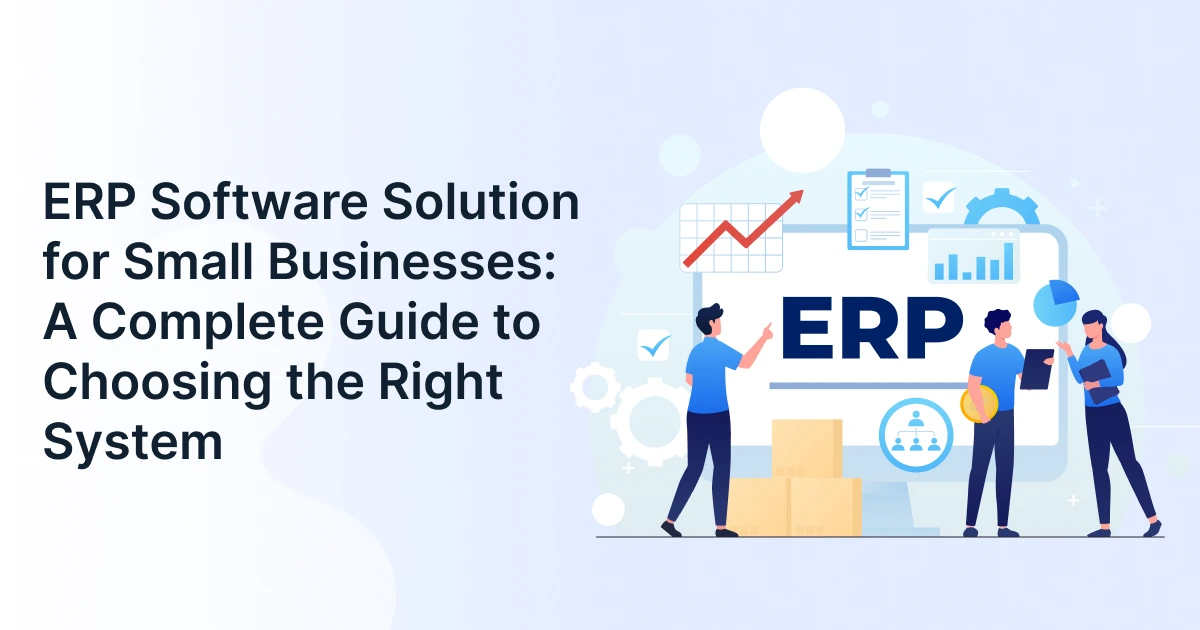
ERP Software Solution for Small Businesses: A Complete Guide to Choosing the Right System

Running a small business is relatively simple when operations are simple. A spreadsheet tracks inventory, accounting software handles finances, and separate tools manage sales, customer orders, and supplier purchases.
That setup can work well in the initial stages.
But as the business grows, the loopholes often begin to show.
Inventory numbers may not match actual stock. Employees may enter the same customer or order information into multiple systems. Finance teams may spend hours compiling reports from different software platforms. Managers may struggle to see sales, expenses, inventory, and fulfillment activity in one place.
At that point, the problem is not necessarily that your team needs more software. The problem may be that your existing software is no longer working together.
That is how ERP software for small businesses becomes relevant. An ERP system brings important business processes and data together within a centralized business management system. It helps growing companies reduce manual work and gain better visibility across their operations.
But does every small business need ERP? And if so, how do you choose a system without paying for unnecessary complexity?

What Is ERP Software for Small Business?
ERP software for small businesses is an integrated business management system that connects core processes such as finance, sales, inventory, purchasing, orders, and reporting through a centralized platform.
Instead of managing critical information across disconnected spreadsheets and software tools, a small business ERP creates a shared source of operational data.
For example, when a customer places an order, the same transaction can be connected to inventory availability, order processing, invoicing, and financial reporting. Teams do not need to manually re-enter the same information into every system.
This is what makes an ERP platform different from using several standalone applications.
However, small businesses do not necessarily need the same level of complexity as large enterprises. The right ERP business software should focus on the workflows that matter most to the business today while allowing additional functionality to be added as operations grow.
The goal is fewer disconnected processes, better visibility, and less time spent manually moving data between systems.
Do Small Businesses Need ERP or Just Better Business Software?
Not every small business needs to implement an ERP system immediately.
If your operations are simple, your existing tools are connected, and your team can access accurate information without spending hours reconciling data, standalone software may still meet your needs.
ERP becomes more valuable when multiple business functions depend on the same information.
For example, a company may begin with separate accounting and inventory tools. That setup may work initially. But once customer orders affect inventory availability, purchasing decisions, fulfillment schedules, and financial reporting, keeping everything synchronized manually becomes increasingly difficult.
A business should consider ERP when:
- Multiple teams repeatedly enter or update the same information
- Important reports require combining data from different systems
- Orders, inventory, and financial records frequently fall uncoordinated
- Manual reconciliation is consuming significant employee time
- Business growth is making existing workflows harder to manage
In other words, an ERP system is most valuable when disconnected software begins creating operational problems rather than solving them.
What Signs Show Your Business Has Outgrown Spreadsheets?
A small business may need ERP when manual data entry, disconnected software, reporting delays, inventory inaccuracies, and administrative workloads begin limiting growth or customer service.
Here are five common signs that your existing systems may no longer be enough.
Your Team Enters the Same Data Across Multiple Systems
Employees may copy customer information from sales to accounting software. Order details may then need to be entered again for inventory or fulfillment.
This repetitive work consumes valuable time and increases the likelihood of human error.
An integrated ERP software for small businesses can help different workflows work from shared information rather than requiring employees to repeatedly transfer data between systems.
You Cannot See Business Performance in Real Time
Growing businesses need timely information to make operational decisions.
If producing a financial or operational report requires collecting spreadsheets from multiple departments, the final numbers may already be outdated by the time they are reviewed.
A centralized business management system can bring important data together and make reporting easier to access.
Inventory, Orders, and Financial Records Do Not Match
Disconnected tools can create gaps between what the system shows and what is happening.
Inventory may show available stock that has already been allocated to customer orders. Financial records may not reflect the latest operational activity. Teams may spend considerable time identifying why numbers do not match.
As transaction volumes increase, maintaining accuracy through manual reconciliation becomes increasingly difficult.
Administrative Work Is Growing Faster Than Your Business
Growth should not automatically mean adding more manual administration.
If employees are spending increasing amounts of time updating spreadsheets, reconciling records, checking order information, and following up on missing data, existing processes may no longer be scalable.
The right ERP tools can automate repetitive workflows and give employees more time to focus on customer service, operations, and business growth.
Adding Products, Customers, or Locations Creates More Complexity
A growing product catalog, recent sales channels, or additional locations can quickly expose the limitations of disconnected systems.
What worked for one location or a few hundred orders may become difficult to manage as the business expands.
A scalable ERP system provides a more structured foundation for managing increased operational complexity.
What Features Should a Small Business ERP Include?
Most small businesses should prioritize fiscal management, inventory, order control, purchasing, reporting, and integrations. The exact features should depend on the company’s operational model and growth requirements.
Small businesses do not need to purchase every available ERP module. The objective is to solve meaningful operational problems without introducing unnecessary complexity.
Core capabilities may include:
- Financial Management: Helps manage accounting activity, invoicing, expenses, payments, and financial reporting.
- Inventory and Purchasing: Supports stock visibility, purchasing workflows, supplier coordination, and inventory planning.
- Sales and Order Management: Helps track customer orders from initial entry through fulfillment and invoicing.
- Reporting and Dashboards: Provides visibility into operational and financial performance.
- Integrations: Connects important existing systems such as e-commerce platforms, payment tools, shipping providers, or other business applications.
The best ERP software is not necessarily the one with the longest feature list. It is the system that solves business problems, creating the greatest operational friction.
Which ERP Features Matter Most for Your Type of Business?
Different businesses require different ERP capabilities.
A product-based company may place greater importance on inventory, purchasing, and order management. A B2B distributor may need strong supplier coordination, stock visibility, and fulfillment of workflows. An e-commerce business may prioritize integrations with online storefronts, payment platforms, and shipping systems.
Service-based businesses may have different priorities altogether. They may need stronger support for project tracking, billing, fiscal management, and resource coordination.
Before comparing ERP solutions, identify how your business operates.
Ask:
Where does information currently get delayed, duplicated, or lost?
The answer to that question should influence which modules and capabilities you evaluate.
Is Cloud ERP the Right Choice for Your Small Business?
Cloud-based ERP is often a practical option for small businesses, but it is not automatically the right choice for every organization.
A cloud ERP for SMB is hosted and managed through a cloud environment rather than requiring the business to maintain its own on-premises server infrastructure.
This can provide several advantages, including:
- Reduced infrastructure management
- Access from various locations
- Easier scalability as the business grows
- Vendor-managed software updates
- Subscription-based pricing models
For many smaller businesses, this can make ERP adoption more accessible because they do not need to build and maintain extensive IT infrastructure.
However, deployment decisions should still depend on business requirements.
Companies with specialized compliance requirements, highly customized legacy systems, or specific data-control needs should evaluate their options carefully.
The key question is not whether cloud ERP is better than on-premises ERP. It is about which deployment model best fits the way our business operates.
Cloud ERP vs On-Premises ERP
| Factor | Cloud ERP for SMB | On-Premises ERP |
| Initial Infrastructure Cost | Requires minimal upfront hardware investment because the ERP is hosted in the cloud by the provider. | Requires businesses to purchase and maintain servers, networking equipment, and other IT infrastructure upfront. |
| Accessibility | Employees can typically access the ERP through a web browser or supported mobile devices from various locations with an internet connection. | Access is generally tied to the organization’s internal network or requires additional infrastructure for secure remote access. |
| Software Updates | The ERP provider manages system updates, patches, and infrastructure maintenance, reducing the workload for internal IT teams. | The business is responsible for coordinating software updates, patches, upgrades, and related maintenance, often with internal IT support. |
| Scalability | Businesses can generally add users, functionality, storage, or resources as their operational requirements increase. | Scaling may require additional hardware, licenses, infrastructure upgrades, and IT resources as the business expands. |
| Pricing Model | Usually follows a subscription-based pricing model, which can make costs more predictable and reduce large upfront investments. | Often involves upfront software licenses and infrastructure costs, followed by ongoing maintenance and upgrade expenses. |
| IT Responsibility | The ERP provider handles much of the hosting, infrastructure, security maintenance, and system upkeep. | The business takes greater responsibility for servers, infrastructure, system maintenance, backups, and related IT operations. |
| Best Suited For | Small and growing businesses that want easier deployment, remote accessibility, predictable costs, and reduced infrastructure management. | Businesses that require greater control over infrastructure and have the resources to manage dedicated IT environments. |
How Do You Select Affordable ERP Software Without Making a Mistake?
The most affordable ERP software is not always the cheapest subscription. Small businesses should compare implementation, training, integrations, support, customization, and long-term scaling costs before choosing a platform.
An affordable ERP software solution should provide value over time rather than simply offering the lowest initial price.
A low subscription cost can become expensive if the platform requires significant customization, does not integrate with important systems, or needs to be replaced as the business grows.
Use this five-step evaluation framework.
Identify Your Biggest Operational Problem
Start with the business challenge you want to solve.
Is it inventory accuracy? Delayed invoicing? Manual order processing? Disconnected reporting?
Choose the problem before choosing the software.
Evaluate the Total Cost of Ownership
Consider more than the monthly or annual subscription.
Evaluate costs related to:
- Implementation
- Data migration
- Integrations
- Training
- Customization
- Support
- Additional users or modules
Understanding the complete investment helps businesses avoid unexpected costs later.
Start With the Modules You Actually Need
Avoid paying for features that your business may never use.
A flexible ERP platform should allow you to begin with essential capabilities and expand functionality as operational requirements change.
Confirm That the System Can Scale
The ERP should be able to support increasing transaction volumes, users, products, locations, or workflows.
Replacing an ERP system shortly after implementation can be significantly more expensive than selecting a scalable solution from the beginning.
Evaluate the ERP Solution Provider
The software itself is only one part of the decision.
A reliable ERP solution provider should understand the implementation process, provide appropriate onboarding, and offer support as your business adopts the system.
Successful ERP adoption depends on both the platform and the expertise supporting its implementation.

How Do You Know Which ERP Is Right for Your Business?
When evaluating ERP software for small businesses, focus on three factors:
Operational Complexity
Businesses with relatively simple workflows may prioritize affordability, usability, and essential functionality.
More complex operations may require stronger automation and centralized process management.
Industry Workflows
Inventory-heavy businesses may need stronger purchasing, inventory, and order management capabilities.
Service businesses may prioritize fiscal management, billing, and project-related workflows.
Integration Requirements
Consider the systems your business already depends on.
If your company uses an e-commerce storefront, payment gateway, shipping platform, or specialized business application, integration capabilities should be part of the ERP evaluation process.
The right ERP is not determined by the feature count.
It is determined by operational fit.
What Makes an ERP Implementation Successful?
Implementing an ERP system does not need to disrupt everyday operations, particularly when the transition is planned around clear priorities.
Successful deployment usually begins with preparation.
- Clean Existing Data: Review customer records, supplier information, product data, and inventory records before migration.
- Prioritize Core Workflows: Start with the processes that create the greatest operational challenges.
- Train Users Early: Employees should understand how the new workflows affect their daily responsibilities.
- Test Before Going Live: Validate important processes such as order management, inventory updates, and invoicing before full deployment.
For many small businesses, a phased rollout can be easier to manage than attempting to launch every ERP capability simultaneously.
How Can Modern ERP Software Support Small Business Growth?
A centralized ERP system can create a stronger operational foundation as the business expands.
When important processes are connected, businesses can reduce unnecessary manual work and improve visibility across departments.
This can support:
- Faster order processing
- Better inventory visibility
- More consistent financial reporting
- Reduced duplicate data entry
- Easier coordination between departments
- More informed operational decisions
The value of ERP business software is not simply automation.
Its larger benefit is helping teams operate from connected information rather than fragmented data.
This can become increasingly important as customer volumes, products, transactions, and operational complexity continue to grow.
Conclusion
Small businesses do not need enterprise-level complexity simply because they are adopting ERP.
The right ERP software for small businesses should address the operational challenges that are limiting growth today while providing enough flexibility to support the business tomorrow.
Before choosing a platform, ask:
- Do we need ERP or are our current tools sufficient?
- Which processes are creating the greatest operational friction?
- Which ERP features are most relevant to our business model?
- What will the total cost of ownership be?
- Can the system scale with our operations?
- Does the ERP solution provider offer the support we need?
The best decision does not begin with finding the ERP platform with the most features. It begins with understanding which parts of your business need to work better together.
For growing businesses managing sales, inventory, orders, and fulfillment through disconnected tools, GrexPro provides a centralized cloud-based platform designed to simplify operational workflows. By connecting important business processes in one environment, GrexPro helps businesses create a more scalable foundation for growth.
FAQ
Q: Is ERP worth it for a small business?
A: ERP can be valuable when disconnected software, manual data entry, reporting delays, or operational errors begin consuming considerable time. Businesses with simple and well-connected workflows may not need ERP immediately, but growing companies can benefit from centralized data and integrated processes.
Q: What is the difference between ERP software and accounting software?
A: Accounting software primarily focuses on financial transactions, expenses, invoices, and financial reporting. An ERP system can connect financial information with other business functions such as inventory, purchasing, sales, orders, and operations.
Q: How much should a small business budget for ERP?
A: ERP costs depend on the number of users, required modules, implementation complexity, integrations, data migration, training, customization, and support. Businesses should evaluate the total cost of ownership rather than compare subscription prices alone.
Q: Can a small business start with only a few ERP modules?
A: Yes. Many businesses begin with the capabilities that address their most immediate challenges and add additional functionality as operations grow. This approach can help control costs and simplify employee adoption.
Q: How long does ERP implementation take for a small business?
A: Implementation timelines depend on the complexity of business processes, data migration requirements, integrations, and customization. Smaller and less complex deployments may be completed faster than large-scale implementations, particularly when businesses begin with essential workflows.
Q: What should I look for in an ERP solution provider?
A: Look for an ERP solution provider that understands your operational requirements and can support implementation, data migration, training, and ongoing adoption. The provider should also be able to explain how the ERP platform can scale as your business grows.
Author
Managing Director of Grexpro
Surendra Yarrum is a Business Strategist at GrexPro with expertise in ERP, CRM, and warehouse management systems, helping businesses enhance efficiency and optimize supply chain operations.