ERP Integration with Warehouse Management Software System

A warehouse manager inspects the shelf and counts 50 units. The sales platform shows 80 units available for online orders. Purchasing relies on a weekly spreadsheet that claims stock is completely depleted. At the same time, finance is attempting to reconcile month-end numbers using three conflicting reports.
What happens when these systems do not communicate?
- Duplicate data entry across departments
- Inventory mismatches and phantom stock
- Delayed order processing and fulfillment backlogs
- Poor stock visibility across sales channels
- Purchasing decisions based on outdated numbers
- Manual reconciliation consuming valuable operational hours
- Slower fulfillment that harms customer retention
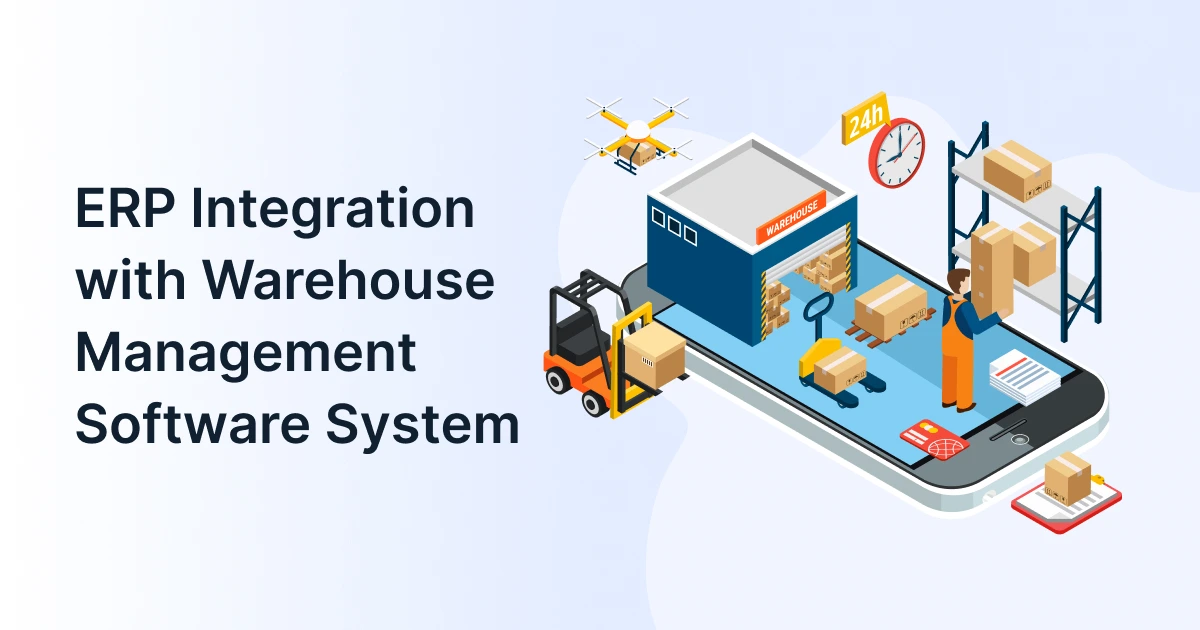
Integrating an ERP warehouse management system connects physical floor activity directly with high-level business functions. This allows inventory, purchase orders, sales requests, and fulfillment metrics to flow automatically. Smooth ERP integration removes operational friction and guarantees every department works from a unified platform.
ERP-WMS integration bridges enterprise-level business management software with floor-level warehouse execution. It automatically synchronizes inventory position, customer orders, procurement needs, and shipment tracking in real time. This eliminates manual data entry and operational blind spots.

What Is an ERP Warehouse Management System?
An ERP warehouse management system connects execution on the warehouse floor with enterprise-level planning processes. An enterprise resource planning (ERP) software handles broad business operations such as accounting, procurement, sales, and human resources. A warehouse management system (WMS) governs daily tactical operations like receiving, putaway, picking, packing, and shipping.
Modern warehouse ERP software aligns physical picking and bin locations directly with general ledger accounting and order tracking. An ERP warehouse management system bridges top-level planning and physical execution into one continuous workflow.
Sales Order (ERP) ➔ Order Routing (WMS) ➔ Picking & Packing ➔ Dispatch & Shipping ➔ Live Inventory Update (ERP)
When using a synchronized ERP warehouse management system, orders flow smoothly. A sales rep enters a B2B order into the ERP. The connected WMS instantly generates an optimized picking route. The floor workers fulfill the items, and shipping updates write back to the financial ledger automatically.
Why Do ERP and Warehouse Systems Need to Work Together?
Operating separate software platforms forces employees to act as human middleware, manually copying spreadsheet data across tools. IHL Group’s research on global inventory distortion reveals an interesting fact. The combined cost of out-of-stocks and overstocks costs the retail and distribution sector USD 1.73 trillion annually. Disconnected systems are the primary driver of this loss.
Inventory Says One Thing. The Warehouse Says Another
When the ERP records stock based on vendor invoices while the warehouse floor records stock based on physical bin locations, discrepancies emerge. Sales reps sell non-existent items, leading to backorders and canceled contracts.
Orders Come Quicker Than Manual Updates
E-commerce and B2B buyers expect same-day fulfillment. Re-keying orders into standalone picking software creates artificial shipping delays and increases order error rates.
Procurement Lacks Real-Time Warehouse Signals
Purchasing managers often reorder fast-moving SKUs based on monthly averages rather than live stock balances. This creates costly overstock for slow items and stockouts for high-demand goods.
Finance Gets Incomplete Operational Data
Without real-time sync, inventory valuation, cost of goods sold (COGS), and return credits lag behind actual warehouse activity, complicating accounting closes.
Managers Lack a Unified Communication Platform
Leadership cannot make sound expansion decisions when sales, inventory, and fulfillment reports contradict one another.
The problem does not lie in having separate tools. The problem is forcing your employees to manually act as the bridge between them.
How Does ERP Integration Work with Warehouse Management Software?
Data synchronization happens across key operational milestones rather than through complex manual handoffs.
ERP ↔ WMS Integration
Purchase Orders
Sales Orders
Demand Planning
Directed Picking
Receiving
Shipping
Order Data Moves from ERP to WMS
Customer orders logged in the ERP instantly trigger picking requirements in the WMS. The request passes exact SKU parameters, bin locations, quantities, delivery priorities, and special packaging instructions.
Real-Time Inventory ERP Integration
As items arrive at the dock, inventory is updated. The same happens when items are picked or moved. Inventory ERP integration keeps stock levels updated instantly. It syncs data across sales channels and accounting systems.
Procurement Uses Warehouse Data
When stock hits predefined reorder thresholds, picking activity triggers automated purchase requisitions in the ERP’s procurement module.
Shipment Status Updates the ERP
Upon carrier scanning at dispatch, tracking numbers and bill-of-lading data transmit back to the ERP, closing the order and generating customer invoices.
Financial and Operational Records Stay Aligned
Returns, damaged stock write-offs, and cycle counts pass from the WMS straight to the general ledger, preventing month-end accounting surprises.
Here’s a quick overview for you:
- Without Integration: Order placed ➔ Email sent ➔ Manual WMS entry ➔ Paper picking ➔ Manual stock adjustment ➔ Delayed tracking email.
- With Integration: Order placed ➔ Automatic WMS sync ➔ Barcode-guided pick ➔ Automated carrier label ➔ Live ERP inventory adjustment ➔ Immediate customer notification.
Key Benefits of ERP Integration for Warehouse Operations
Integrating your core management tools provides measurable operational benefits. Research cited by DataDocks notes that, according to Gartner, implementing a modern WMS yields labor efficiency gains of 20 – 35%. It also increases inventory accuracy rates above 99.5%.
Real-Time Inventory Visibility
With an ERP warehouse management system, managers access a single unified record showing available, reserved, and in-transit inventory across multiple sites.
Faster Order Fulfillment
Automating the transition between order creation and warehouse picking eliminates administrative constraints, drastically lowering cycle times.
Fewer Inventory Errors
By using warehouse ERP software, dispatch delays and shipping errors drop because barcode scanning replaces manual keying at every step.
Smarter Procurement
Direct visibility into warehouse burn rates lets purchasing managers negotiate better supplier terms without over-allocating working capital.
Reduced Administrative Overhead
Removing manual data entry frees operations staff to focus on process optimization, slotting improvements, and quality control.
Inventory ERP Integration: Where Accuracy Becomes Critical
Inventory is often a business’s largest asset, yet it is exceptionally vulnerable to system drift. Without synchronized updates, slight discrepancies compound until physical stock counts bears little resemblance to reported balances.
Effective inventory ERP integration ensures that every stock movement, from dock receiving to final customer delivery, syncs live. A McKinsey report highlight that companies maintaining real-time inventory visibility can cut carrying costs by up to 20% while significantly reducing stockout incidents.
With robust inventory ERP integration, safety stock levels update dynamically based on picking velocity. If 200 units arrive at dock receiving, inventory ERP integration updates the sales ledger in seconds. It prevents unnecessary purchase orders and eliminating artificial stockouts.
What Should You Look for in Warehouse ERP Software?
Selecting the right solution requires evaluating both high-level management tools and floor-level features.
- Real-Time Data Synchronization: Ensure the platform offers bidirectional live syncing rather than legacy batch updates that run only once overnight.
- API and ERP Integration Capabilities: Choosing modern warehouse ERP software requires checking for open REST APIs and pre-built connectors that simplify communication across tech stacks.
- Multi-Location Visibility: Evaluating warehouse ERP software means verifying that it can track stock across central warehouses, regional distribution centers, dark stores, and transit vehicles.
- Configurable Workflows: Your software should adapt to your physical layout, supporting wave, zone, or batch picking rather than forcing you into rigid templates.
- Cloud Accessibility: SaaS-based platforms reduce local server hardware costs, provide automatic security patches, and grant mobile access to warehouse managers on the floor.
How Supply Chain ERP Extends Beyond the Warehouse?
A warehouse project should never exist in isolation. A full supply chain ERP ecosystem connects suppliers, manufacturers, warehouses, logistics providers, and end customers into one continuous network.
Suppliers ➔ Procurement ➔ Supply Chain ERP ➔ Warehouse Ops ➔ Distribution ➔ Customers
When deployed effectively, supply chain ERP optimizes end-to-end logistics. It does so by alerting warehouse teams to upstream supplier delays before they disrupt fulfillment schedules. Organizations utilizing supply chain ERP gain predictable lead times and superior demand forecasting, transforming the warehouse from an isolated storage facility into a strategic asset.

How to Implement ERP Integration with a Warehouse Management System?
Executing a smooth roll-out requires structured, step-by-step planning.
Step 1: Map Workflows ➔ Step 2: Map Integration ➔ Step 3: Source of Truth ➔ Step 4: Choose Architecture ➔ Step 5: Test ➔ Step 6: Go Live
- Map Existing Workflows: Document how orders, receipts, and returns currently flow through your business to identify data obstacles.
- Identify Integration Points: Define points for inventory ERP integration, including SKU masters, purchase orders, customer records, and inventory adjustments.
- Define the Source of Truth: Assign system ownership for each data field (e.g., ERP owns customer pricing; WMS owns bin locations).
- Choose the Integration Architecture: Determine whether pre-built native connectors, middleware platforms, or custom APIs best fit your tech stack.
- Test Rigorously Before Going Live: Conduct end-to-end testing covering peak order volumes, partial picks, vendor returns, and physical cycle counts.
- Monitor and Optimize: Post-launch, track transaction logs, API response times, and sync errors to maintain operational stability.
ERP + WMS Integration: The Shift to Connected Operations
Connecting your enterprise systems transforms day-to-day business performance. Adopting an ERP warehouse management system shifts your organization away from reactive firefighting toward proactive operational control.
When the ERP knows exactly what the warehouse is doing, sales reps promise accurate lead times, purchasing teams order optimal quantities, and finance reports true operational margins.
Conclusion
Stop letting software silos delay fulfillment and erode customer trust. Upgrade to a modern ERP warehouse management system like GrexPro. This will help you eliminate manual data re-keying and gain real-time operational visibility. Connect your entire enterprise with cloud-native supply chain ERP capabilities designed for growing B2B businesses.
FAQs
Q: What is an ERP warehouse management system?
A: An ERP warehouse management system is a unified digital environment that connects high-level enterprise planning. Examples include accounting, sales, and procurement, with warehouse execution tasks like picking, receiving, and inventory control.
Q: What is ERP integration with warehouse management software?
A: ERP integration connects your core software platform to warehouse management tools. It enables real-time, bidirectional data exchange for orders, stock levels, shipments, and customer tracking numbers.
Q: What are the main benefits of ERP and WMS integration?
A: Key benefits include higher inventory accuracy, faster order fulfillment, lower labor overhead, reduced stockouts, and accurate financial reporting across all channels.
Q: How does inventory ERP integration improve stock accuracy?
A: By capturing physical movements through barcode scanning and syncing changes instantly, inventory ERP integration prevents discrepancies between system balances and physical shelf stock.
Q: How does warehouse ERP software differ from standalone systems?
A: How does warehouse ERP software differ from isolated tools? Standalone systems operate in silos, requiring manual data re-entry. On the other hand, integrated software automatically syncs floor execution with company-wide financial and sales records.
Q: How does warehouse ERP software support supply chain operations?
A: Integrated warehouse ERP software provides real-time operational visibility. This allows procurement, logistics, and sales teams to coordinate actions based on live stock levels and warehouse throughput.
Q: How long does ERP integration take?
A: Integration timelines vary depending on software complexity, system customization, data hygiene, and workflow requirements. The timeline typically ranges from a few weeks for SaaS connectors to several months for complex enterprise deployments.
Q: Why is supply chain ERP vital for multi-site operations?
A: Deploying supply chain ERP across multiple facilities creates a centralized view of inventory. This enables smart order routing, stock transfers, and unified procurement across all distribution hubs.
Author
Managing Director of Grexpro
Surendra Yarrum is a Business Strategist at GrexPro with expertise in ERP, CRM, and warehouse management systems, helping businesses enhance efficiency and optimize supply chain operations.