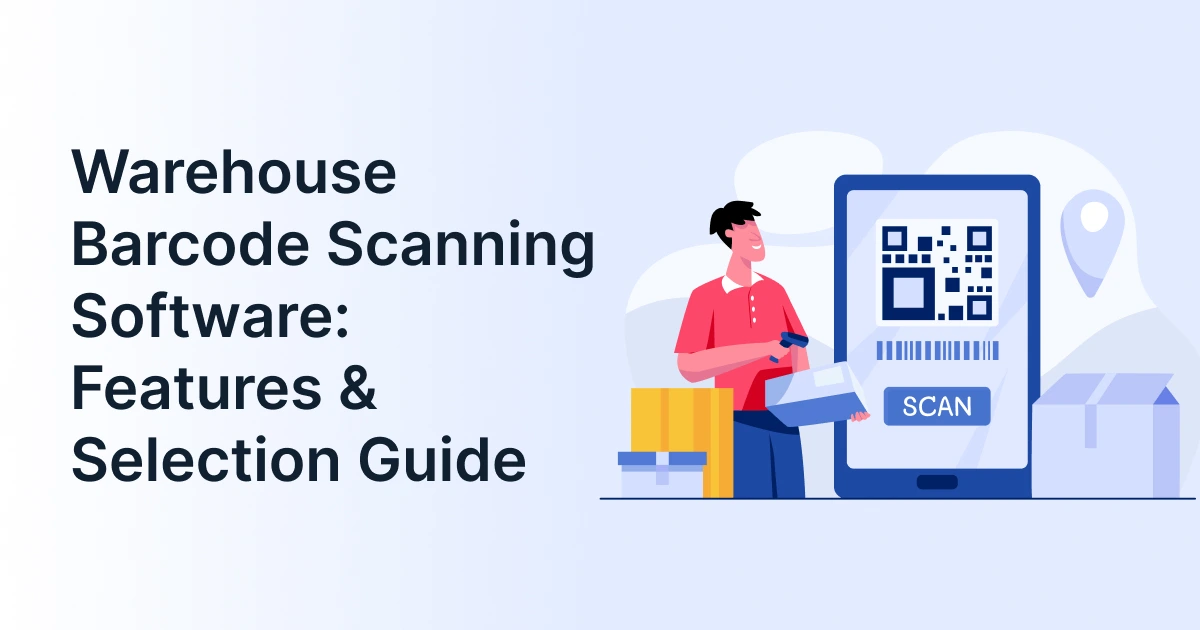
Warehouse Barcode Scanning Software: Features & Selection Guide

Warehouse operations depend on one basic question. Where is the right inventory, and how do you know?
Manual entries, delayed stock updates, and incorrect location records can make that question difficult to answer. Warehouse barcode scanning software helps connect physical inventory movements with digital warehouse records. When integrated with a warehouse management system (WMS), each scan can validate an item, location, quantity, or transaction as work happens.
For businesses evaluating WMS software, the priority should not be the scanner alone. The right warehouse barcode system should connect scanning devices, inventory data, warehouse workflows, and business systems.
What is warehouse barcode scanning software?
Warehouse barcode scanning software captures barcode data and connects it with inventory and warehouse workflows. It helps teams record, validate, and update stock movements across receiving, put away, picking, counting, packing, and shipping.
What Is a Warehouse Barcode Scanning System?
A warehouse barcode scanning system combines barcode labels, scanning devices, software, inventory records, and warehouse workflows.
A typical process looks like this:
Scan item or location >> validate the scan >> update the WMS >> confirm the next warehouse action
The scanner captures the barcode. The software determines what that barcode represents and checks whether the transaction matches the expected workflow.
This distinction matters. Buying scanners without connecting them to operational software can improve data capture without improving warehouse control.

What is a barcode scanning system for a warehouse?
It is a system that uses barcode labels, scanning devices, and warehouse software to identify inventory and locations, validate warehouse transactions, and update digital records.
Modern WMS platforms use barcode or RFID data to maintain visibility into inventory location and quantity.
Who Should Consider Warehouse Barcode Scanning Software?
Barcode scanning software is particularly useful for warehouses with frequent inventory movements, high SKU volumes, multiple storage locations, lot or serial tracking requirements, recurring picking errors, or manual data entry between physical warehouse activity and inventory systems.
It can be especially relevant for:
- Manufacturers managing raw materials, finished goods, and production inventory
- Distributors handling frequent inbound and outbound inventory movements
- Wholesalers managing large SKU catalogs and multiple storage locations
- 3PLs tracking inventory across customers, warehouses, and fulfillment operations
- Retailers and e-commerce businesses managing high-volume order fulfillment
- Businesses with multiple warehouses that need consistent inventory visibility across locations
Which Features Should Warehouse Barcode Scanning Software Have?
The best warehouse barcode scanning software should support the workflows your warehouse performs every day.
| Feature | What to look for |
| Real-time inventory updates | Stock changes after each validated scan |
| Receiving | PO, item, and quantity verification |
| Put away | Product and storage-location validation |
| Picking | SKU and quantity verification |
| Packing | Order and item confirmation |
| Cycle counting | Scan-based stock reconciliation |
| Lot and serial tracking | Traceability for controlled inventory |
| Location scanning | Bin, rack, zone, and pallet identification |
| Mobile scanning | Support for handhelds, tablets, or smartphones |
| Reporting | Scan history, exceptions, and inventory activity |
| WMS/ERP integration | Data synchronization with business systems |
| Multi-warehouse support | Visibility across locations |
What features should warehouse barcode software have?
Look for real-time inventory updates, receiving and put-away workflows, picking and packing validation, cycle counting, location tracking, lot and serial support, mobile scanning, reporting, and WMS/ERP integration.
The hardware should also match the environment. Warehouses can use handheld, hands-free, fixed-mount, or industrial scanners depending on the workflow.
How Does Barcode Scanning WMS Support Warehouse Operations?
A barcode scanning WMS becomes valuable when scans are connected to actual warehouse tasks.
Receiving
Workers scan incoming products, cartons, or pallets and compare them with expected inventory. Exceptions can be identified before goods enter storage.
Put away
The operator scans the product and destination location. The WMS can then associate the inventory with the correct bin or storage area.
Picking and Packing
Workers scan items during picking to verify that the correct SKU and quantity are being processed. Packing scans can provide another verification point before dispatch.
Transfers and Replenishment
Scanning records inventory movement between locations. This gives the WMS a current view of where stock has moved.
Cycle Counting
Instead of relying entirely on paper-based counts, teams can scan products and locations and reconcile differences within the system.
Shipping
Final scans can verify order contents before goods leave the warehouse.
How does a barcode scanning WMS work?
A barcode scanning WMS receives scan data, validates it against the expected warehouse transaction, updates inventory or task status, and provides confirmation or an exception message to the operator.
This creates a direct connection between physical warehouse activity and digital inventory records. AWS also identifies barcode scanning as a WMS capability for real-time inventory tracking and warehouse order fulfillment.
How Do You Choose Warehouse Barcode Scanning Software?
Selecting warehouse barcode scanning software should start with your warehouse processes, not the device specifications.
Map the workflows you need to scan
List the transactions that require scanning. These may include receiving, put away, replenishment, picking, packing, transfers, counting, returns, and shipping.
Check barcode compatibility
Confirm whether the software and devices support the barcode formats your suppliers and operations use. If your business expects to adopt richer 2D barcode data, check this capability before selecting a platform.
GS1’s current guidance notes that 2D barcodes can carry additional information such as batch, lot, expiry, and serial data. GS1 also has an industry goal for retail POS systems to support defined GS1 2D barcodes by the end of 2027.
Match the software to your devices
Consider handheld scanners, rugged mobile computers, tablets, smartphones, wearable scanners, or fixed devices based on warehouse conditions and workflows.
Verify WMS and ERP integration
Ask how scans move into your existing warehouse management system, ERP, inventory database, or order system. API availability, data synchronization, and integration support can become important as operations scale.
Evaluate real-time and offline capabilities
Warehouses can have connectivity gaps. Understand what happens when a device temporarily loses its connection and how transactions synchronize afterward.
Check traceability requirements
If your operation handles regulated, perishable, serialized, or batch-controlled goods, confirm support for lot numbers, serial numbers, expiry dates, and audit records.
Review reporting and exception handling
The system should make it possible to identify failed scans, inventory discrepancies, incorrect locations, and unusual warehouse activity.
Test scalability
Consider future SKU growth, additional warehouses, more users, higher transaction volumes, and new workflows.
What should I look for when choosing warehouse barcode scanning software?
Evaluate workflow coverage, barcode compatibility, device support, WMS and ERP integration, real-time synchronization, traceability, reporting, exception handling, and scalability.
Barcode Inventory Software vs. Barcode Scanning WMS: What Is the Difference?
The terms can overlap, but they are not always interchangeable.
| Barcode Inventory Software | Barcode Scanning WMS |
| Focuses on inventory identification and tracking | Connects scanning with warehouse execution |
| Records stock movements | Records and directs warehouse tasks |
| May support basic location tracking | Typically supports deeper location workflows |
| Can update inventory after scans | Can validate receiving, put away, picking, and shipping |
| May work as a standalone application | Usually forms part of broader WMS functionality |
Is barcode inventory software the same as a barcode scanning WMS?
Not necessarily. Barcode inventory software can focus mainly on stock tracking, while a barcode scanning WMS connects scanning with broader warehouse processes such as receiving, put away, picking, replenishment, and shipping.
For growing warehouse operations, the distinction matters because inventory visibility alone does not manage the complete movement of goods.

What Makes Barcode Software for Warehouse Management Worth the Investment?
The value of barcode software for warehouse management comes from connecting each scan to an operational decision.
Instead of manually entering every movement, warehouse teams can capture transactions at the point of activity. This can support:
- More current inventory records
- Faster receiving and stock movements
- Better location visibility
- Fewer manual data-entry steps
- More controlled picking and packing
- Faster cycle counts
- Stronger product traceability
- Better WMS data for planning and fulfillment
For businesses already using multiple operational systems, integration is particularly important. The objective is not simply to scan faster. It is to make each scan useful across the warehouse and connected business processes.
Choose Barcode Software Around Your Warehouse Workflows
The right warehouse barcode scanning software should fit the way your warehouse receives, stores, moves, counts, picks, packs, and ships inventory.
For businesses evaluating WMS software, the strongest solution is not necessarily the one with the most scanning features. It is the one that connects barcode data with warehouse execution, inventory visibility, and the wider business technology stack.
GrexPro helps businesses implement cloud-based WMS and ERP capabilities designed to simplify and connect business operations. With the right warehouse management system, barcode scanning can become part of a broader digital workflow rather than a standalone data-capture activity.
FAQs
Q: What is a barcode scanning system for a warehouse?
A: It combines barcode labels, scanners, and warehouse software to identify products and locations, validate warehouse transactions, and update inventory records.
Q: What are the key features of a barcode scanner?
A: Scanner features can include supported barcode types, scanning range, connectivity, scanning speed, durability, and compatibility with mobile warehouse applications. Software capabilities are separate and include inventory and workflow management.
Q: Can warehouse barcode scanning software work with an existing WMS?
A: Yes, depending on the platform. Check API capabilities, supported integrations, data synchronization, and how scan transactions are transferred into the existing WMS.
Q: Can barcode inventory software track lot and serial numbers?
A: It can be if the software supports lot- and serial-level inventory tracking. This is especially important for industries requiring stronger traceability.
Q: Can warehouse barcode scanning software work offline?
A: Some solutions support offline transactions and later synchronization. Confirm this capability if your warehouse has areas with unreliable connectivity.
Q: Can smartphones be used with warehouse barcode software?
A: Yes. Some warehouse applications support smartphone camera scanning. However, high-volume operations may require dedicated rugged scanners or mobile computers for faster and more reliable scanning.
Q: Is barcode scanning WMS suitable for multiple warehouses?
A: Yes, when the platform supports multi-location inventory, warehouse-specific processes, transfers, users, and centralized visibility.
Author
Managing Director of Grexpro
Surendra Yarrum is a Business Strategist at GrexPro with expertise in ERP, CRM, and warehouse management systems, helping businesses enhance efficiency and optimize supply chain operations.