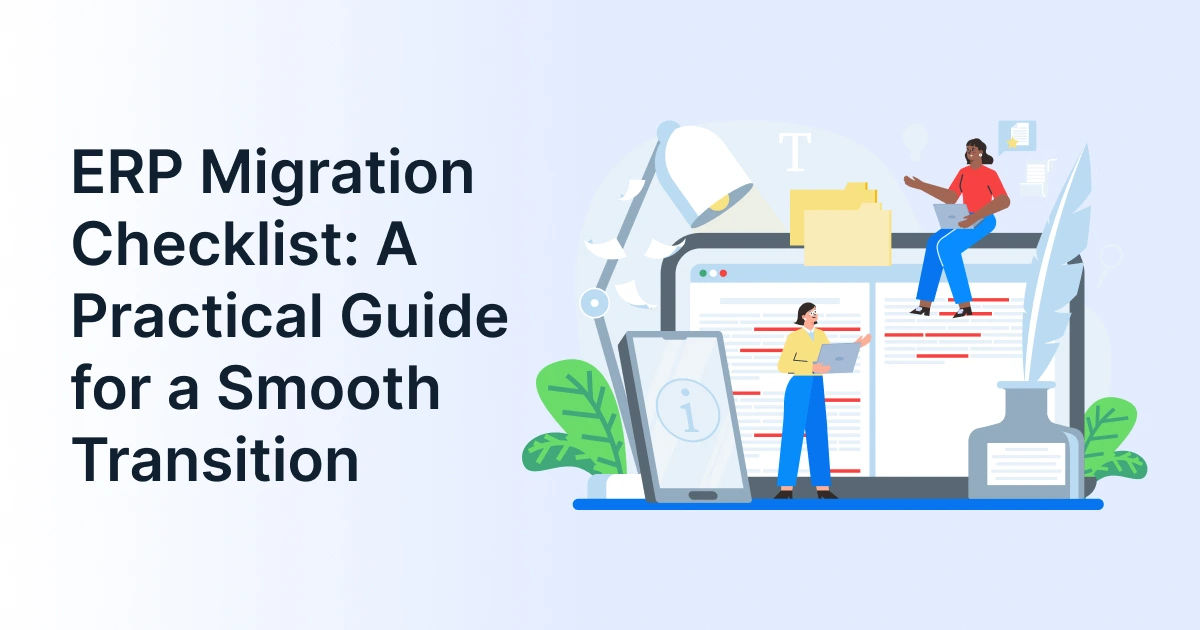
ERP Migration Checklist: A Practical Guide for a Smooth Transition

Moving to a new ERP system is a significant business decision. The right ERP platform can help organizations improve operational visibility, connect business applications, and support growth. However, the benefits depend on choosing a suitable solution and managing the transition carefully.
Before committing to an ERP migration, businesses need to assess their existing systems, define requirements, validate data, and understand implementation risks. They must also determine whether a potential ERP solution provider can support their technical and operational needs.
This ERP migration checklist helps decision-makers evaluate their readiness, compare ERP solutions, and plan a transition that protects critical business operations.
What Should Businesses Evaluate Before Starting an ERP Migration?
ERP migration involves transferring relevant business data, configurations, and processes from an existing environment to a new or upgraded system. The scope may include replacing legacy software, moving to cloud ERP, or consolidating disconnected applications.
Before selecting a migration approach, identify the problems the new system must solve. These might include inconsistent reporting, manual data transfers, limited scalability, disconnected inventory systems, or difficulties accessing financial information.
Next, document your current applications, customizations, integrations, and data dependencies. Establish measurable outcomes, such as accurate financial reporting, reliable inventory records, fewer manual transfers, and better coordination between departments.
These requirements will help you assess whether a proposed ERP platform meets your business needs.

How do I know if my business is ready for ERP migration?
Your business is ready to plan an ERP migration when it has defined its objectives, documented existing systems, identified data owners, and established migration priorities. Readiness also requires a realistic budget, available project resources, integration requirements, and agreement on how success will be measured.
What Belongs to Your ERP Migration Planning Checklist?
Assess your current ERP environment
Review your existing ERP software and connected applications to identify operational limitations. Examine reporting gaps, unsupported customizations, recurring data issues, integration failures, and processes that depend on manual work.
Map the workflows that the new system must support across finance, procurement, manufacturing, inventory, sales, and supply chain operations, where relevant.
Use this assessment to separate essential requirements from optional improvements. This prevents businesses from choosing a system based on an extensive feature list rather than actual operational needs.
Compare ERP solutions against business requirements
Evaluate potential ERP solutions using consistent criteria before selecting.
- Functional fit: Can the platform support your core business processes?
- Integration capabilities: Can it connect with your existing CRM, WMS, finance applications, and other business tools?
- Scalability: Can it accommodate additional users, locations, and transaction volumes?
- Data management: Does it support your data structures, reporting requirements, and access controls?
- Implementation effort: What migration, customization, training, and testing will be required?
- Ongoing support: What assistance is available after deployment?
Request demonstrations of workflows that matter to your business. Compare vendors against the same requirements, and document any functionality that needs customization or third-party integration.
Evaluate the ERP solution provider
The migration partner plays an important role in planning, execution, and post-launch support. Assess the provider’s experience with comparable business processes, integration requirements, and migration complexity.
Before making a commitment, clarify the project’s scope, deliverables, responsibilities, timeline, and support arrangements. Ask how the provider handles failed data imports, integration issues, testing defects, and unexpected cutover problems.
How do I choose the right ERP solution provider for migration?
Compare providers based on relevant implementation experience, data migration methodology, integration expertise, testing procedures, security practices, and post-go-live support. Request a documented project plan with clear responsibilities, acceptance criteria, risk controls, and deliverables before approving the engagement.
How do you prepare business data for ERP migration?
Data quality should be a central part of your ERP selection and implementation discussions. Incomplete records, inconsistent formats, and incorrect opening balances can affect reporting and daily operations after migration.
Use this ERP data migration checklist to prepare for the transfer.
Validate the data migration approach
- Inventory existing data: Identify records stored across legacy ERP software, spreadsheets, databases, and connected applications.
- Define migration scope: Decide which current and historical records must be transferred.
- Clean source data: Correct duplicates, incomplete fields, invalid entries, and inconsistent formats.
- Map data fields: Match legacy fields with the destination ERP’s data structure.
- Agree on transformation rules: Document changes to codes, dates, units, and other values.
- Run a trial migration: Test representative records before the full transfer.
- Validate results: Compare record counts, financial balances, inventory quantities, and key relationships.
- Obtain data-owner approval: Have responsible teams review and approve the results.
Ask prospective providers to explain how they will document these checks and resolve discrepancies. The migration plan should identify who owns data cleansing, reconciliation, and final approval.
Not every historical record needs to be entered into the new system. Decide which information must remain accessible for audits, reporting, and business reference, and establish an appropriate retention plan.
How do you clean and validate data before ERP migration?
Profile source data, remove duplicates, correct inconsistent values, and map fields to the destination ERP. Run a trial migration, compare source and destination totals, and reconcile critical records. Assign data owners to review the results and approve the final transfer against agreed acceptance criteria.
What should you test before switching to the new ERP?
A successful import does not guarantee that the new ERP solution is ready for daily operations. Businesses should verify that migrated records, integrations, reports, permissions, and complete workflows perform as expected.
Test business-critical workflows and integrations
Build a testing plan around the processes the organization cannot afford to disrupt. Depending on the business, these may include purchase-to-payment, order-to-cash, inventory replenishment, manufacturing, and financial reporting.
Your testing checklist should include:
- Data accuracy: Verify migrated records and opening balances against approved source values.
- Integration reliability: Confirm that connected CRM, WMS, finance, and other applications exchange information correctly.
- Workflow completion: Test transactions from initiation through approval and completion.
- Access controls: Check role-based permissions and sensitive information access.
- Reporting accuracy: Compare key reports with validated source data.
- User acceptance testing: Have employees complete representative tasks using migrated data.
Ask the ERP solution provider for documented test results, a defect-resolution process, and clear criteria for business sign-off. Critical issues should be resolved and retested before the go-live decision.
What should be tested before an ERP system goes live?
Validate migrated data, integrations, business workflows, user permissions, reports, and transaction processing. Include user acceptance testing, performance checks, and backup and rollback procedures. Approve go-live only when critical defects are resolved and agreed acceptance criteria are met.
How can you make ERP go-live safer for business operations?
The cutover marks the transition from the legacy system to the new ERP. Before approving it, business and technical stakeholders should confirm that the migration plan is executable and critical dependencies are covered.
Confirm cutover readiness
Use this checklist before switching systems:
- Confirm backups and approve the cutover schedule.
- Establish transaction controls for the legacy system.
- Complete the final data transfer and reconcile critical balances.
- Verify integrations, access permissions, reports, and essential workflows.
- Resolve critical defects and obtain business sign-off.
- Confirm rollback conditions and escalation contacts.
- Train employees and communicate support arrangements.
Agree on who can authorize the cutover and who will make the rollback decision if essential processes fail. The business and provider should understand their respective responsibilities.
Also confirm that support resources are available during the initial operating period. Employees should know where to report errors and how urgent issues will be handled.
How can businesses avoid downtime during ERP migration?
Schedule cutover around operational requirements, test the migration in advance, and prepare verified backups and rollback criteria. Coordinate system dependencies, communicate transaction restrictions, and arrange support for critical workflows. A phased rollout may help reduce disruption when business and technical dependencies allow it.

What should businesses review after ERP migration?
Validate the new environment and monitor performance
After go-live, verify that the new ERP supports daily operations and produces reliable business information.
Reconcile financial balances, inventory quantities, customer and supplier records, and essential reports. Monitor integration failures, transaction errors, system performance, and access permissions.
Track unresolved defects and collect feedback from affected departments. Compare actual results against the migration objectives established during planning.
Keep the legacy environment available or decommission it according to the approved retention, compliance, and rollback policies.
What should be checked immediately after ERP migration?
Reconcile critical records and balances, verify integrations and reports, monitor transaction failures, and confirm that employees can complete essential workflows. Track defects, review performance, and maintain support until the new environment meets operational requirements.
Conclusion
A successful ERP migration requires more than transferring data. Businesses need to assess their current environment, compare solutions against operational requirements, and establish clear expectations for the migration provider.
Use this ERP migration checklist to evaluate your readiness, identify implementation risks, and define the criteria that will guide your final decision.
GrexPro offers cloud-based ERP, WMS, CPQ, and other business technology solutions for organizations across industries. Explore how GrexPro’s ERP capabilities can align with your business processes, integration requirements, and growth plans.
FAQs
Q: What is an ERP migration?
A: ERP migration involves transferring relevant business data, configurations, and processes from an existing ERP environment to a new or upgraded system. Its scope depends on the destination platform, business needs, integrations, and historical data requirements.
Q: What are the seven key activities in a successful ERP migration?
A: Define the scope, plan responsibilities, prepare data, map and cleanse records, run a trial migration, test workflows, and complete a controlled go-live. Continue with data reconciliation and performance monitoring after launch.
Q: How long does ERP migration take?
A: The timeline depends on data volume, system complexity, customizations, integrations, testing requirements, and deployment scope. A realistic schedule should include time for data cleansing, trial migrations, employee training, and issue resolution.
Q: What is the biggest risk during ERP data migration?
A: Poor data quality is a major risk, but it is not the only one. Inadequate testing, failed integrations, unclear ownership, and rushed cutover decisions can also disrupt operations. Businesses should assess these risks together.
Author
Managing Director of Grexpro
Surendra Yarrum is a Business Strategist at GrexPro with expertise in ERP, CRM, and warehouse management systems, helping businesses enhance efficiency and optimize supply chain operations.