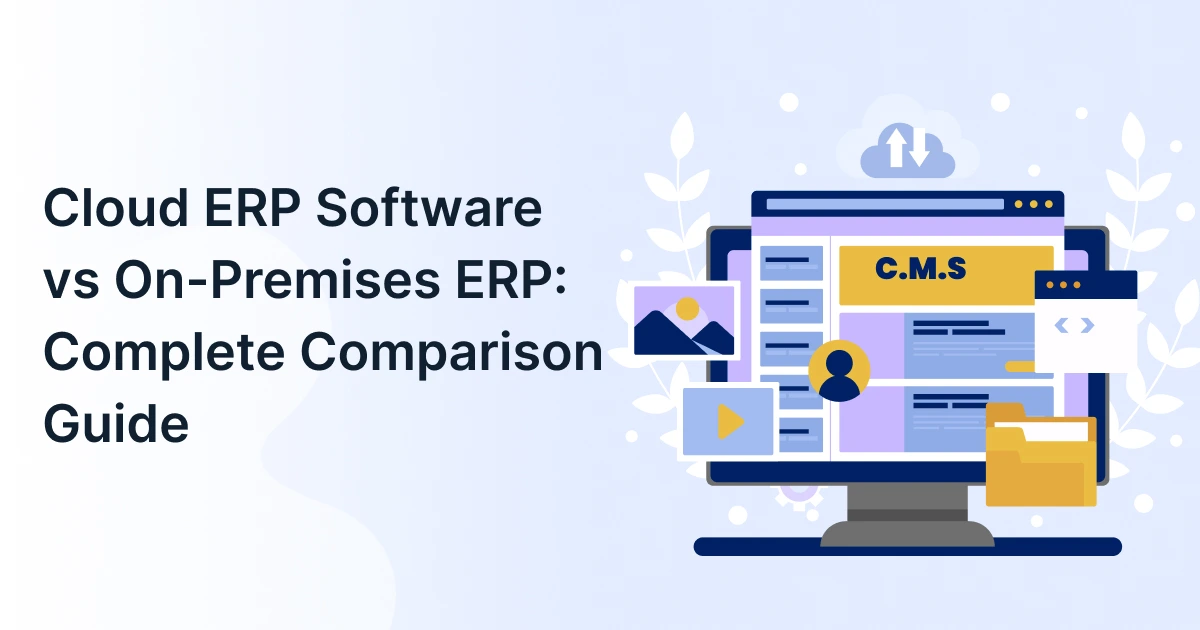
Cloud ERP Software vs On-Premises ERP: Complete Comparison Guide

Choosing an ERP system is a long-term decision. But there is another decision that often gets overlooked: how do you want your ERP to be deployed?
A business can install an ERP on its own infrastructure or move to cloud ERP software that’s hosted and managed in a cloud environment. The difference affects much more than where the software sits. It can influence your upfront costs, IT workload, accessibility, scalability, upgrades, and even how quickly your business can respond to change.
So, which option makes more sense for your business?
The answer depends on your budget, IT capabilities, growth plans, customization requirements, and operational needs. Let us compare the two models and look at where each one fits best.

What Is Cloud ERP Software?
Cloud ERP software is an enterprise resource planning system hosted in a cloud environment rather than on a company’s own physical servers. Employees often access the system through a web browser or supported application.
The cloud provider manages the underlying infrastructure, including servers, storage, system maintenance, and software updates. The exact responsibilities vary by provider and deployment model.
For businesses with multiple locations or distributed teams, this model can make it easier to work from a shared ERP environment without maintaining physical infrastructure at every site.
How Does Cloud ERP Work?
The ERP application runs within a cloud infrastructure, and users connect to it through an internet-enabled device.
Instead of purchasing and maintaining servers for the ERP system, the business relies on the provider’s infrastructure. Depending on the platform, users may be able to access financials, inventory, procurement, supply chain, sales, and other business functions from a centralized system.
This is where online ERP software becomes particularly useful for businesses with remote teams, branch offices, or operations to spread across multiple locations.
What Is SaaS ERP?
SaaS ERP is a specific way of delivering cloud ERP. With a SaaS model, businesses typically pay a recurring subscription to use the software, while the provider manages the application and underlying infrastructure.
Cloud ERP and SaaS ERP are closely related terms, but they are not always interchangeable. Cloud ERP describes the broader deployment environment, while SaaS describes a software-as-a-service delivery model.
What Is On-Premises ERP?
On-premises ERP is installed and operated on infrastructure controlled by the organization. This may include company-owned servers, storage systems, networking equipment, and other supporting infrastructure.
The business has greater direct control over its environment, but that control also comes with responsibility. Internal teams may need to manage hardware, backups, security, system updates, performance, and ongoing maintenance.
For organizations with established data centers and experienced IT teams, this approach can still be a practical option.
Cloud ERP vs On-Premises ERP: Key Differences
The easiest way to understand the difference is to look at what changes for the business after implementation.
Cloud ERP software is hosted in a cloud environment and is accessed over the internet, with much of the underlying infrastructure managed by the provider. On-premises ERP is installed on infrastructure controlled by the business, which means the organization takes greater responsibility for hardware, maintenance, upgrades, and security.
| Factor | Cloud ERP Software | On-Premises ERP |
| Upfront investment | Generally lower infrastructure investment | Typically, higher infrastructure and licensing investment |
| Deployment | Usually faster to provision | Requires infrastructure setup and installation |
| Accessibility | Typically, available through web-based access | Remote access may require additional configuration |
| Scalability | Easier to expand | May require additional infrastructure |
| Maintenance | Mostly handled by the provider | Primarily handled internally |
| Updates | Usually provider-managed | Organization manages upgrades |
| Customization | Depends on the platform and architecture | Often provides greater control over the environment |
| IT workload | Lower infrastructure management burden | Higher internal management responsibility |
Costs Comparison
The biggest financial difference often comes down to where the investment happens.
Cloud ERP commonly uses a subscription-based pricing model. Instead of purchasing servers and making a large infrastructure investment upfront, a business pays recurring fees based on its users, modules, usage, or chosen plan.
On-premises ERP requires a larger initial investment. Businesses may need to purchase or upgrade servers, networking equipment, storage, software licenses, and security infrastructure. They also need to account for IT staff, maintenance, backups, and future hardware upgrades.
That does not automatically make cloud ERP cheaper in every situation. The better comparison is the total cost of ownership over the expected life of the system, including implementation, infrastructure, support, upgrades, and internal IT effort.
Implement Speed
Cloud ERP can be provisioned faster because the underlying infrastructure is already available. Implementation still requires process configuration, integrations, data migration, testing, training, and change management, but the business does not have to build the physical ERP infrastructure first.
On-premises implementations add another layer of work. Hardware needs to be purchased, configured, secured, and connected before the ERP environment can be fully deployed.
So, while implementation timelines vary considerably, cloud deployment can remove some of the infrastructure-related work.
Accessibility and Remote Work
One of the biggest advantages of cloud ERP is accessibility.
Online ERP software can typically be accessed from different locations through an internet connection. This can be useful for employees working remotely, sales teams in the field, branch offices, and businesses operating across multiple locations.
On-premises ERP can also support remote access. However, organizations may need VPNs, remote desktop solutions, or other networking configurations depending on how their system is designed.
Cloud ERP typically simplifies remote access because the application is designed to be accessed through internet-connected clients. On-premises systems can also support secure remote access, but organizations may need additional networking and security infrastructure depending on the architecture.
Scalability
Business growth rarely happens in a perfectly predictable way. You may add employees, open new locations, increase transaction volumes, or introduce new business processes.
Cloud ERP can make this expansion easier because infrastructure capacity and software access can often be adjusted without purchasing and installing new physical servers.
With on-premises ERP, growth may require additional hardware, storage, networking capacity, or other infrastructure upgrades.
However, scalability is not simply about adding users. Businesses should also consider database performance, integrations, data volume, configuration, and the ERP provider’s ability to support larger workloads.
Maintenance and Updates
With cloud ERP, the provider takes responsibility for much of the underlying infrastructure and platform maintenance. Software updates, security patches, infrastructure management, and other technical responsibilities are typically handled as part of the service.
With on-premises ERP, these responsibilities remain largely with the organization.
That gives the business greater control over when and how changes are made. However, it also means internal IT teams need the time and expertise to test, deploy, monitor, and maintain those changes.
Security and Data Control
Security is not as simple as saying one deployment model is more secure than the other.
Cloud providers can invest heavily in infrastructure security, access controls, monitoring, encryption, backups, and compliance capabilities. At the same time, businesses still need to configure user permissions, authentication, integrations, and security policies correctly.
On-premises ERP gives organizations greater direct control over their physical infrastructure and data environment. But that also means the business is responsible for protecting that infrastructure.
Ultimately, security depends on the ERP architecture, implementation, controls, processes, and expertise behind it. It does not simply depend on whether the system is in the cloud or on a local server.
Customization and Integrations
Customization is another important consideration when evaluating ERP systems.
Cloud ERP platforms can support configuration, APIs, integrations, extensions, and other ways of adapting the system to business processes. However, the level of customization depends on the provider and platform architecture.
On-premises ERP may provide greater control over the underlying environment and deeper customization opportunities. The trade-off is that extensive customizations can make future upgrades, maintenance, and integrations more complicated.
Before choosing a deployment model, consider the systems your ERP needs to connect with. This should include CRM, WMS, HR, e-commerce, finance, procurement, and business intelligence platforms.

When Should You Choose Cloud ERP Software?
Cloud ERP software can be a strong fit if your business:
- Wants to minimize upfront infrastructure investment.
- Has a small or lean internal IT team.
- Needs employees to access ERP systems across locations.
- Expects to add users, locations, or business capabilities over time.
- Wants provider-managed infrastructure and updates.
- Needs an ERP platform that can support remote or hybrid operations.
- Prefers subscription-based technology spending.
- Wants to reduce the amount of physical infrastructure it manages.
For growing businesses, enterprise cloud software can provide a practical way to expand operations without continually expanding physical IT infrastructure.
When Does On-Premises ERP Make More Sense?
On-premises ERP can still be appropriate when an organization:
- Requires extensive control over its physical infrastructure.
- Has significant investments in existing data centers.
- Has a large, specialized internal IT team.
- Needs highly specific customization or infrastructure configurations.
- Has particular regulatory or operational requirements that favor local infrastructure.
- Operating in environments where reliable internet connectivity is a concern.
- In these situations, the additional control offered by an on-premises deployment may justify its infrastructure and maintenance requirements.
Which ERP Deployment Model Is Right for Your Business?
For many growing businesses, cloud ERP software is the more practical choice because it can reduce infrastructure responsibilities while providing easier accessibility and scalability.
But that does not mean on-premises ERP is outdated or wrong for every organization.
The right choice comes down to your priorities.
Choose cloud ERP if you value flexibility, easier scalability, remote accessibility, and reduced infrastructure management.
Consider on-premises ERP if infrastructure control, deep customization, or existing data-center investments are more important to your business.
Cloud ERP vs Hosted ERP vs SaaS ERP
These terms can sound interchangeable, but they are not.
On-premises ERP runs on infrastructure controlled by the organization.
Hosted ERP generally refers to an ERP application hosted on infrastructure managed by a third party. The customer may retain more responsibility for the ERP software, configuration, or upgrades than it would under a fully managed SaaS model. Exact responsibilities depend on the hosting agreement.
SaaS ERP is a software delivery model in which the provider delivers and manages the ERP application as a service, typically through a subscription. Cloud ERP is broader and can include SaaS as well as other cloud deployment approaches.
Understanding these differences matters when comparing ERP vendors. This is because two products described as cloud ERP may use quite different deployment and service models.
Conclusion
Choosing between cloud and on-premises ERP is beyond a technology decision. It is a decision about how your business wants to manage costs, infrastructure, accessibility, security, and growth over the long term.
For many organizations, cloud ERP provides the flexibility to scale without taking on the infrastructure burden of traditional ERP deployments. Others may benefit from the greater control offered by an on-premises environment.
The best starting point is to evaluate your current infrastructure, IT capabilities, growth plans, integration requirements, and long-term operating costs. With GrexPro, businesses can explore cloud-based ERP solutions designed to bring core operations together while providing the flexibility needed to support growth.
FAQs
Q: Is cloud ERP software better than on-premises ERP?
A: Cloud ERP is generally a better fit for businesses that prioritize scalability, remote access, and lower infrastructure-management responsibilities. On-premises ERP may be better for organizations requiring greater control over infrastructure or specialized customization.
Q: Is SaaS ERP the same as cloud ERP?
A: Not exactly. SaaS ERP is a specific delivery model within the broader cloud ERP category. SaaS typically means the ERP is provided as a subscription service, with the provider managing the application and underlying infrastructure.
Q: Is cloud ERP software more expensive than on-premises ERP?
A: Not necessarily. Cloud ERP usually requires less upfront infrastructure investment, while on-premises ERP can involve significant hardware, licensing, maintenance, and IT costs. Businesses should compare the total cost of ownership rather than looking only at the initial price.
Q: Can an on-premises ERP system be accessed remotely?
A: Yes. On-premises ERP systems can support remote access through technologies such as VPNs or remote desktop solutions. However, the setup and ongoing management requirements depend on the organization’s infrastructure and security architecture.
Q: Which ERP deployment model is best for a growing business?
A: Cloud ERP is often a practical choice for growing businesses because it can simplify infrastructure management and make it easier to scale access as the organization expands. However, businesses with specific control, compliance, or customization requirements may still prefer on-premises ERP.
Author
Managing Director of Grexpro
Surendra Yarrum is a Business Strategist at GrexPro with expertise in ERP, CRM, and warehouse management systems, helping businesses enhance efficiency and optimize supply chain operations.